POS for Sushi and Japanese Restaurants: Menu Complexity Solved
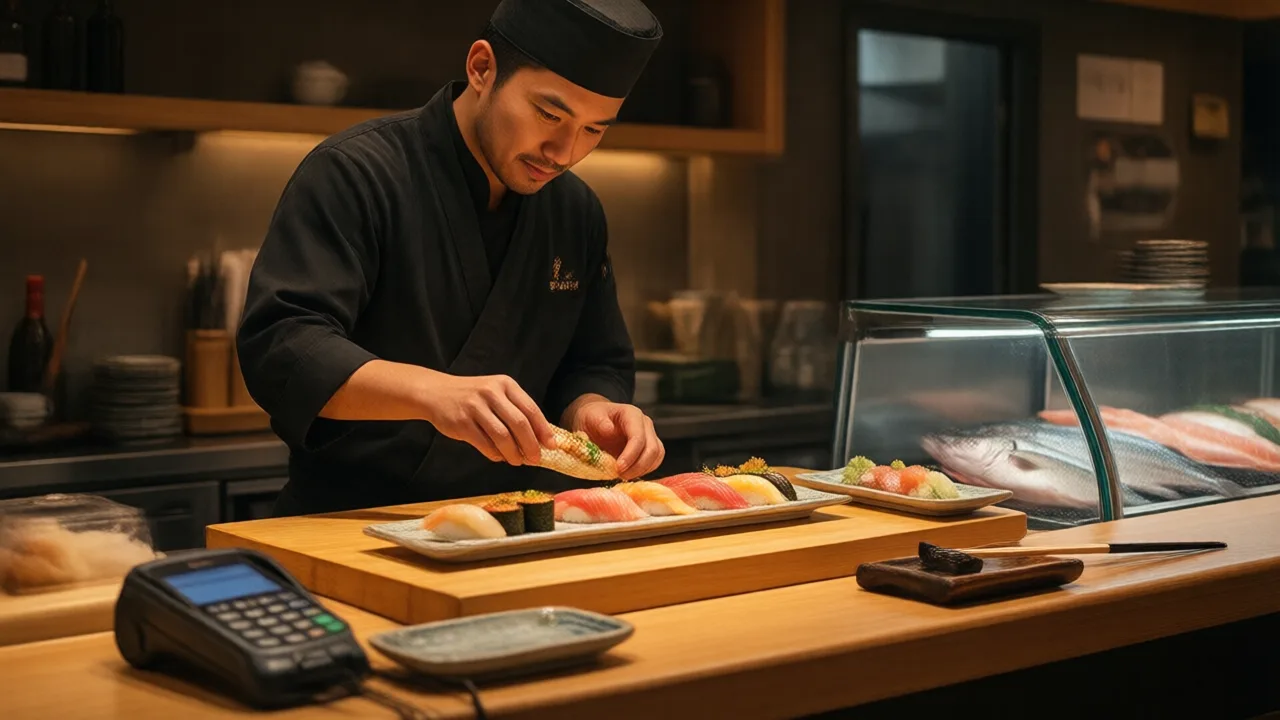
Count them sometime. A mid-size Japanese restaurant carries roughly 30 nigiri and sashimi varieties, 45 rolls, a dozen hand rolls, 20 hot kitchen entrées, ramen with six broth-and-topping permutations, teppanyaki combinations, five bento configurations, a bar list of 40 sakes and shochus, and a happy hour menu that re-prices about a third of everything between 4:00 and 6:00. Multiply the modifiers through and the number of distinct things a server can legally ring up sits somewhere north of 600.
That number is why so many Japanese restaurants run on POS systems that technically work and practically fight them. Menus this dense expose every weakness in an item hierarchy. Screens get 14 items deep. Servers memorize button positions instead of reading them. New hires take three weeks to reach usable speed on a system that a burger restaurant's staff masters in two days.
The encouraging part is that complexity is structural, not mysterious. Sushi menus break POS systems in a handful of specific, well-understood ways, and each one has a known fix at the configuration level. Let's go through them in the order they hurt.
Two Kitchens, One Ticket
The defining architectural fact of a Japanese restaurant is that it has two independent production lines that share a table. The sushi bar makes nigiri, sashimi, and rolls. The hot kitchen makes tempura, katsu, ramen, teriyaki, and yakitori. They have different ticket times, different rhythms, and different physical locations — and a single party will order across both without a thought.
So item-level routing is not a nice-to-have; it is the foundation. Every item on the menu needs a station assignment, and the POS has to split one order into two tickets automatically the moment it fires. Get this wrong and you get the failure every sushi restaurant knows by heart: a table's rolls land in four minutes, their chicken katsu arrives eleven minutes later, and someone's meal is cold before the rest of the table starts.
Coursing is what solves the timing half of it. The rolls fire on send, the hot entrées fire on a course-two trigger, and the sushi bar sees a hold-and-fire prompt rather than a wall of pending tickets. This is considerably easier to manage on kitchen display screens than on paper, because a display can show the sushi chef what is coming in ten minutes while showing the hot line what is due now. Paper tickets can only ever say "now."
A practical detail worth insisting on during a demo: what happens when a table adds two more rolls twenty minutes into the meal? A good system prints an add-on ticket at the bar clearly flagged as an addition to an existing table. A weak one reprints the whole order, and a sushi chef who has already made those rolls now has to figure out whether to make them twice.
Market Price Without the Manager Dance
Fish prices move. Bluefin, uni, live scallop, and seasonal catch all change with each delivery, and the traditional POS answer — an open-price item that requires a manager key — is a disaster in the middle of service. Every MP order becomes a 45-second interruption while somebody finds a manager, and the price that eventually gets typed is whatever that person remembers.
The working pattern is a daily default price. The item stays open-priced structurally, but a manager sets today's number once each morning when the delivery is checked in. The server rings "Uni (MP)" like any other item, and the current price attaches automatically. No override, no interruption, no memory involved.
The reporting benefit matters just as much. Because the price is stamped at the moment of sale, a $14 piece sold on Tuesday stays $14 in your reports after Friday's price change. That is what makes it possible to look back at a month and see actual margin on high-cost fish rather than a blurred average — and to answer the question every sushi owner eventually asks, which is whether the premium items are earning their spoilage risk.
| Item structure | How it should be built | Failure mode if built wrong |
|---|---|---|
| Nigiri | Pair as base unit, half-order modifier | Chef misreads piece count, remakes plate |
| Market price fish | Open price with daily default | Manager override on every ring-in |
| Combination boat | Parent item with child components | Substitutions become comps and voids |
| Omakase | Course-sequenced fixed price | Courses fire all at once |
| Happy hour roll | Same item, scheduled price tier | Duplicate menu, split reporting |
| AYCE | Per-person cover plus zero-price rounds | No record of what was eaten |
Combination Boats and the Substitution Problem
Combination platters are the highest-margin, most frequently ordered items on most Japanese menus, and they are also where check accuracy goes to die. A "Sushi Boat for Two" is not one item — it is a container holding twelve components, and guests substitute components constantly. No eel, extra salmon. Swap the California roll for a spicy tuna. Hold the mackerel.
When the boat is built as a single flat item, every substitution turns into an improvisation: a comp here, a void there, a manual add of $2. Do that forty times a week and your comp report becomes unreadable, which means it stops functioning as a loss-prevention tool at exactly the moment you need one.
Built correctly, the boat is a parent item with defined child components, each swappable within rules you set. A same-tier swap carries no charge. A premium swap adds a defined upcharge that the system applies. The kitchen ticket lists the actual contents rather than the boat's name, so the sushi chef reads what to make instead of remembering the standard build and mentally applying the exceptions. That last detail alone eliminates a surprising share of remakes.
Happy Hour and Half-Price Rolls Should Run Themselves
Promotional pricing is not a side feature for this category — it is the traffic engine. Half-price roll Mondays, a 4:00 to 6:00 happy hour, late-night specials, and lunch bento pricing are how most Japanese restaurants fill the shoulder hours between lunch and dinner rush.
The wrong way to build it, and by far the most common, is a separate happy hour menu with duplicate items. It works, and it quietly destroys your data: the same spicy tuna roll now exists twice, so you can never see how many you actually sell, and your menu engineering has a hole in it precisely where your highest-volume items live.
The right way is one item with scheduled price tiers. The roll is the roll; between 4:00 and 6:00 on weekdays it carries the happy hour price. Reporting stays whole, and you can finally answer the question that decides whether the promotion is worth running: does half-price Monday bring incremental covers, or does it discount guests who would have paid full price anyway? The answer usually turns on beverage attach, and you can only see it if the food item is a single line in your data.
Real Numbers: A 90-Seat Sushi Bar Cuts Ticket Times by a Third
A 90-seat sushi restaurant in Seattle was running paper tickets to both the sushi bar and hot kitchen, with servers hand-marking which items belonged to which station. Friday ticket times averaged 24 minutes from send to last plate, and the manager was comping roughly $1,400 a month in remakes and timing complaints. The rebuild took a week: every item got a station assignment, hot entrées were coursed to fire after the sushi, combination boats were converted from flat items into parent-child builds with upcharge rules, and displays replaced printers at both stations. Within a month, average Friday ticket time fell to 16 minutes and comps dropped to about $480. The unexpected win came from the boats — with substitutions handled as rules rather than improvisation, the check average on combination platters rose $3.20, because premium upcharges that servers had previously waived out of awkwardness were now simply part of the order.
Bilingual Service, Bilingual Tickets
Many sushi bars run with chefs who read Japanese faster and more accurately than English, while the dining room and the printed check run in English. A POS that supports per-printer language turns this into an advantage rather than a compromise: the guest check prints in English, and the sushi bar ticket prints item names in Japanese.
Two cautions from the field. First, verify it live — plenty of kitchen printers silently drop kanji and kana, and you will not discover this from a spec sheet. Ask the vendor to print a real ticket on the exact printer model you will buy. Second, make sure the server-facing screen can show both, because a bilingual staff will be faster if the button says what they think in.
The same principle applies to the order screen layout itself. Sushi menus reward a category structure that mirrors how the menu is organized physically — nigiri, sashimi, classic rolls, specialty rolls, hand rolls, hot kitchen, noodles, bar — with the top 20 sellers on a first screen. Handhelds change this calculus significantly, since tablet-based ordering at the table means a server can build a complex 14-item order in front of the guest without walking back to a station and reconstructing it from memory.
Omakase, Teppanyaki, and AYCE: Three Different Animals
Japanese restaurants often run more than one service model in one building, and each needs its own item structure.
- Omakase is a fixed price with sequenced courses. The POS should hold the course list and let the chef advance the table through it, so the register reflects where the meal actually is. It shares much of its logic with fine-dining coursing — pacing, allergy flags carried across every course, and a check that stays quiet until the end.
- Teppanyaki is communal seating with shared cook times, which makes it fundamentally a scheduling problem: parties are seated to fill a grill, not a table. Table management has to think in grill seats and start times, closer to reservation-driven table management than to standard walk-in seating.
- AYCE sushi sells a per-person cover with a time limit, then rings every subsequent order as a zero-price round attached to that cover. Keeping the item-level record is what lets you compute consumption per cover and enforce an uneaten-food charge without an argument.
A restaurant running two of these at once — an AYCE lunch and an à la carte dinner, say — needs both models to live in one menu with schedule-driven activation, not in two systems that reconcile at midnight. This is the same daypart-switching machinery that drives happy hour, applied at a larger scale. Operators looking at the full picture of how these formats interact will find this guide to Japanese restaurant operations a useful companion, and the Japanese restaurant POS platform overview covers the hardware layout for split sushi-bar and hot-kitchen stations.
Built for Menus That Do Not Simplify
KwickOS handles dual-station routing, daily market pricing, parent-child combination boats, scheduled happy hour tiers, bilingual kitchen tickets, and AYCE covers in one menu — so a 600-combination menu behaves like a 60-item one on the floor.
Review the KwickOS buyer checklist →What to Test Before You Sign
Vendor demos are usually run on a demo menu with 40 items, which proves nothing about a menu with 600. Insist on testing your own worst cases:
- Ring a real table. Four rolls, two nigiri pairs, a tempura appetizer, one ramen, and a sake. Confirm it splits into two station tickets with correct coursing.
- Sell an MP item. Confirm a server can complete the sale without a manager and that the price stamps onto the check.
- Substitute inside a boat. Swap two components, one same-tier and one premium. Confirm the upcharge applies automatically and the kitchen ticket shows actual contents.
- Cross a happy hour boundary. Ring the same roll at 5:55 and 6:05 and confirm both land under one item in reporting.
- Print a kanji ticket on the exact printer model in the quote.
- Time a new server. Hand the terminal to someone who has never seen it and ask them to find a specialty roll. Under fifteen seconds is a good menu tree; over forty means your staff will memorize positions and make position-shaped mistakes.
The Bottom Line
Japanese restaurants do not need a POS with more features. They need one whose structure matches the shape of the business: two production lines feeding one table, prices that change with the fish market and the clock, composite items that guests reshape at will, and a menu deep enough that navigation speed becomes a labor cost. Every one of those is a configuration decision made before opening day, and every one of them is expensive to unwind afterwards. Build the item structure to match the menu you actually sell, and the complexity stops being something your staff absorbs on a Friday night.