Best POS for Food Halls and Ghost Kitchens: How to Run Many Brands From One Kitchen in 2026
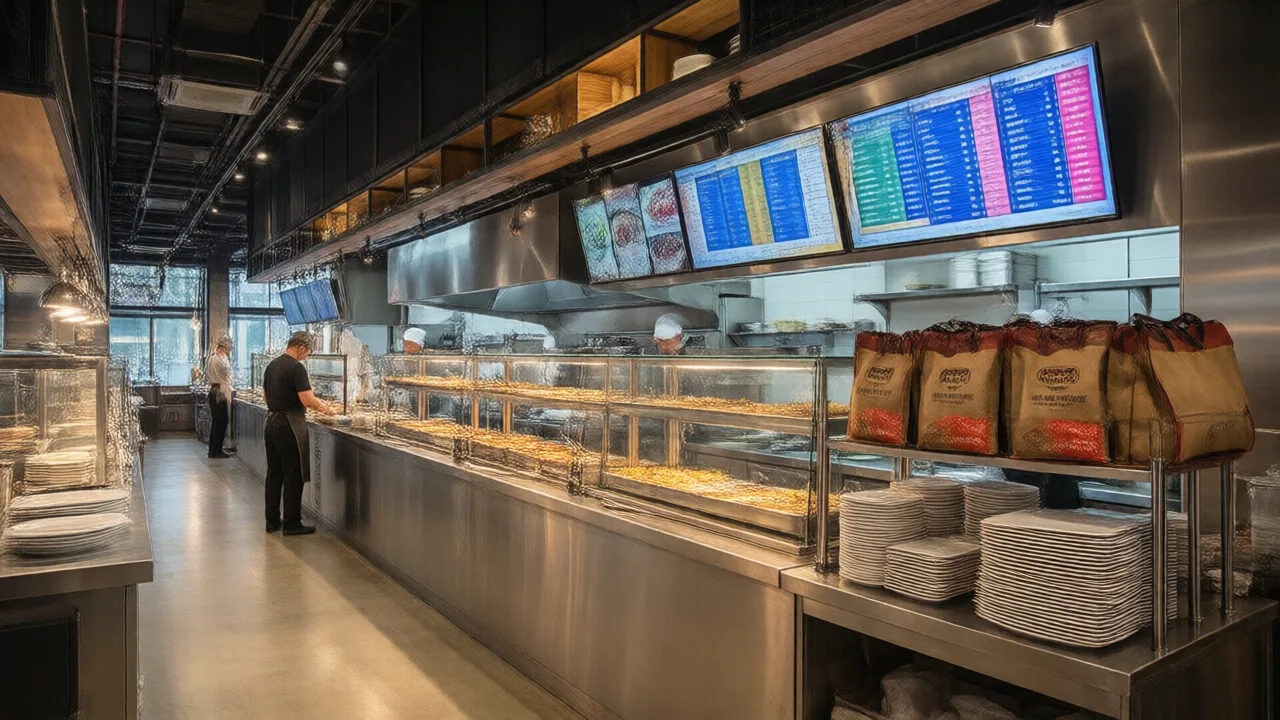
Walk into most ghost kitchens at 7 p.m. and you will see the same scene. A shelf of tablets — one for each delivery app, sometimes one per brand per app — lit up and chiming. A staffer stands in front of the wall, reading an order off a screen and re-keying it into the POS by hand, then doing it again for the next tablet, and the next. Meanwhile the kitchen has no idea which of the four virtual brands a given ticket belongs to, because everything looks the same once it hits the line. This is not a staffing problem. It is a systems problem, and it is costing more than anyone in that kitchen realizes.
Here is what that setup actually drains. Every hand re-keyed order is a chance for a wrong item, a wrong brand, or a dropped modifier — and in a shared kitchen, a wrong-brand ticket means the whole thing gets remade under a different label. Third-party delivery commissions already skim 15 to 30 percent off every ticket; add the labor of a dedicated "tablet person" and the comps from re-keying errors, and a concept that looked profitable on the spreadsheet quietly bleeds out at the pass. The ghost kitchen model was supposed to be lean. Run it on the wrong POS and it becomes the most chaotic corner of the building.
Now the good news: this is a solved problem, but only if you buy the right category of system. Food halls and ghost kitchens do not need a better single-brand POS — they need a genuinely multi-concept platform. Below is exactly what that means, the features that separate a real multi-brand system from a marketing claim, what it costs, and how to evaluate one before you sign. Let's start with why the ordinary POS breaks.
Why a Normal POS Breaks in a Shared Kitchen
A conventional restaurant POS is built around one brand, one menu, one set of books, and — usually — a dining room full of tables. A food hall or ghost kitchen violates every one of those assumptions at once. You have several brands sharing hardware and staff, few or no tables, and a flood of orders arriving from delivery apps and first-party channels rather than servers. Force that reality onto a single-brand system and you end up doing one of two ugly things.
The first ugly option is running a separate terminal, separate menu, and separate merchant account for every brand. That means a counter cluttered with screens, staff hopping between systems, and an accountant reconciling five sets of books by hand at month end. The second ugly option is cramming every brand into one menu on one terminal, which collapses your reporting into mush — you can no longer see which brand actually makes money, which is the single number a multi-brand operator lives or dies by. Neither is acceptable, and both are what most shared kitchens are quietly tolerating right now.
The multi-concept POS exists precisely to dissolve that trade-off. It lets each brand live as its own menu, tax profile, and revenue center in the background while sharing terminals, kitchen screens, and one login up front. One screen rings up any brand. The kitchen sees clean, brand-labeled, correctly routed tickets. And the reporting keeps every concept's numbers cleanly separated so you know exactly which virtual restaurant to double down on and which to shut off. That is the whole game.
The Features That Actually Matter
Vendors will show you a long feature list. In a shared kitchen only a handful of capabilities do real work — the rest is table stakes borrowed from ordinary restaurant POS. These are the ones worth grilling a salesperson about.
- Multi-concept menu and revenue-center architecture. Each brand needs its own menu, pricing, tax rate, and reporting bucket under a single account. If the system fakes this by prefixing item names, walk away — you will pay for it at month end.
- Native delivery aggregation. Orders from every delivery app and your own online ordering should flow straight into one POS queue and onto the kitchen screen, no tablet farm and no re-keying. This is the single highest-impact feature in the building.
- Brand- and station-aware kitchen routing. Each ticket has to reach the right station labeled with the right brand, so a shared line never guesses whose burger it is making. A kitchen display system that routes by station is not optional here — it is the nervous system of a multi-brand kitchen.
- Per-brand settlement and payouts. A food hall with independent vendors needs the POS to split sales, fees, and taxes back to each operator automatically. Doing that by spreadsheet is how food halls lose vendors.
- Consolidated, drill-down reporting. One dashboard that shows the whole operation and lets you drill into a single brand's margins. The same discipline that lets a good operator use POS data to protect profitability is what tells you which virtual brand to cut.
- Durable, shared hardware. Terminals and screens in a shared kitchen take abuse from many hands. Apply the same hardware-durability standards you would to any high-volume line.
Notice what is not on that list: elaborate table management, coursing, and floor plans. In a ghost kitchen those features are dead weight, and in a food hall they matter only at the counter level. Do not let a vendor sell you dining-room sophistication you will never use while glossing over the delivery aggregation you will lean on every single shift.
Food Hall vs Ghost Kitchen: The Same POS, Tuned Differently
These two formats get lumped together, and they do share a spine — many brands, one space, shared systems. But they stress the POS in different places, and knowing which you are matters when you evaluate.
| Need | Food hall | Ghost kitchen |
|---|---|---|
| Primary order source | Walk-up counter + kiosk + delivery | Delivery apps + first-party online |
| Vendor model | Independent operators sharing a hall | One operator, many virtual brands |
| Most critical feature | Per-vendor settlement & payouts | Delivery aggregation & re-keying elimination |
| Guest-facing tech | Self-order kiosks, shared pickup board | None — kitchen and dispatch only |
| Reporting focus | Revenue per vendor & per stall | Margin per virtual brand |
A food hall leans harder on the front-of-house side: self-order kiosks that let guests browse every stall from one screen, a shared pickup and paging flow, and airtight per-vendor settlement so each independent operator trusts the numbers. If kiosks are part of your plan, the same logic in a self-service kiosk buying guide applies — the kiosk has to speak the same multi-brand menu the POS does. A ghost kitchen, by contrast, has no guests in the room at all, so it lives and dies on how cleanly delivery orders arrive and how fast the kitchen can turn them without a re-keying bottleneck.
The reassuring part is that the same underlying platform serves both. You are not shopping for two different products — you are shopping for one multi-concept POS and turning on the modules each format actually needs.
Real Numbers: A Four-Brand Ghost Kitchen Retires the Tablet Wall
A single-location ghost kitchen outside Austin ran four virtual brands — wings, burgers, a bowl concept, and a late-night breakfast label — off a shelf of nine delivery tablets and one overworked staffer re-keying every order into a basic POS. Order errors were running near 6 percent, most of them wrong-brand or wrong-modifier mistakes born at the moment of re-keying, and each error meant a full remake plus a delivery refund. They moved to a multi-concept POS with native delivery aggregation and brand-routed kitchen screens. Every app now injects orders straight into one queue; the kitchen sees tickets labeled by brand and routed by station. Within a month the tablet wall was gone, the re-keying position was reassigned to expo, order errors fell to under 2 percent, and the owner could finally see that one of the four brands was losing money on every ticket — and shut it off. The system paid for itself on comps and that one killed concept alone.
What It Costs — and What the Wrong System Costs
Sticker price is the least interesting number here, but you need a realistic frame. Software for a capable multi-concept POS commonly runs $60 to $200 per terminal per month, with multi-brand and delivery features sometimes bundled and sometimes sold as add-ons. Hardware is a terminal or tablet at roughly $400 to $1,200 plus a kitchen display screen per station, typically $400 to $1,000 each. For a two-brand ghost kitchen or a small food hall, a realistic all-in first year lands in the low thousands of dollars.
Now weigh that against the cost of the wrong system, which is where the real money hides. Consider what a shared kitchen on a mismatched POS actually pays for, month after month:
- The tablet-person labor. A staffer whose entire job is re-keying orders is often 20 to 30 hours a week of payroll spent transcribing data a computer should move for free.
- Middleware aggregator fees. If your POS cannot pull delivery orders directly, you rent a third-party aggregator — frequently $100 or more per month per location — just to do what a native integration does at no marginal cost.
- Re-keying error comps. Every wrong-brand or wrong-item order in a shared kitchen means a remake and often a refund. At even a few percent error rate on delivery volume, this is a serious monthly line.
- Blind brand decisions. The most expensive cost of all is invisible: without per-brand margins, you keep running concepts that lose money because your books cannot tell you which ones. Direct delivery and first-party ordering also let you claw back margin lost to commissions — the same reason operators push customers toward first-party online ordering instead of renting every order from an app.
Add those up and the monthly bleed from the wrong POS routinely dwarfs the entire cost of the right one. The question is not whether you can afford a proper multi-concept system. It is whether you can afford to keep running without one.
How to Choose: A Buyer's Checklist
Once you have narrowed to systems that genuinely support multiple brands, put every candidate through the same wringer. These are the questions that separate a demo that dazzles from a system that survives a Friday.
- Make them create a second brand live. Ask the salesperson to spin up a new brand with its own menu, tax rate, and reporting bucket during the demo. If it takes more than a few minutes or requires support, imagine doing it under pressure.
- Confirm which delivery apps integrate natively. Get the exact list of directly integrated delivery platforms — not "we can connect to anything through a partner." Every app that needs middleware is a fee and a failure point.
- Test brand-routed kitchen tickets. Fire orders from three brands and watch the kitchen screen. Each ticket must be clearly labeled by brand and routed to the correct station. A kitchen display system built into the POS handles this natively; a bolt-on often blurs the brand.
- Demand a per-brand profit report. If the system cannot show you sales, costs, and margin for one brand in isolation, it cannot help you make the one decision that matters most in a multi-brand operation.
- Pressure-test under volume. Any POS is calm with three tickets. Ask to see — or simulate — thirty active orders across four brands and three stations, and watch for lag, misrouting, or dropped items.
- Understand the settlement model. For food halls, confirm exactly how per-vendor payouts, fees, and taxes are split and reported. Vague answers here are how food halls end up in disputes with their operators.
Run every candidate through those six and the field narrows fast. The systems that were only pretending to be multi-concept fall apart on questions one, three, and four — usually before you get to price.
One System. Every Brand. One Screen.
KwickOS runs multiple concepts from a single account — separate menus, taxes, and payouts, shared terminals and kitchen routing, and delivery orders that flow straight in with no tablet wall. See how it handles a shared kitchen before you commit to anything.
See why restaurants are switching to KwickOS →Common Mistakes That Sink a Shared Kitchen
Even operators who buy the right category of system trip over a few predictable errors. Avoid these and the platform pays off far faster.
- Buying a single-brand POS and forcing it to cope. The most expensive mistake of all. If the system was not designed for multiple concepts, no amount of workarounds will give you clean per-brand books.
- Keeping the tablet wall "just in case." Half-integrating delivery — direct for some apps, tablets for others — keeps the re-keying errors alive. Commit to native aggregation across every channel you run.
- Ignoring per-brand margins. Operators love launching virtual brands and hate killing them. Without per-brand profit data you will carry dead concepts for months. Look at the numbers monthly and cut ruthlessly.
- Underbuilding the kitchen display. One screen showing every brand's tickets unrouted is just a busier version of the paper chaos. Route by brand and station or the kitchen guesses.
- Skimping on hardware in a shared space. Terminals used by many hands across long shifts fail faster. Consumer tablets in particular do not survive a shared commercial kitchen.
Most of these come down to one habit: treating a multi-brand operation like a single restaurant with extra menus. It is not. It is a different business, and the POS is the piece that either makes that difference invisible or makes it a nightly fistfight.
The Bottom Line
Food halls and ghost kitchens promise leverage — many brands, one kitchen, one crew — but that leverage only materializes if the POS is built to deliver it. The right system treats each brand as its own menu, tax profile, and revenue center while sharing hardware, kitchen routing, and reporting; it pulls every delivery and online order into one queue so the tablet wall and the re-keying that plagues it disappear; and it hands you per-brand margins so you double down on winners and cut losers before they drain the quarter. A capable multi-concept platform costs a few thousand dollars in the first year. The wrong POS costs that much every month in tablet-person labor, aggregator fees, comps, and blind brand decisions. Shop for the multi-concept architecture first, put every candidate through the six-question wringer, and the shared kitchen finally runs the way the model always promised.